|
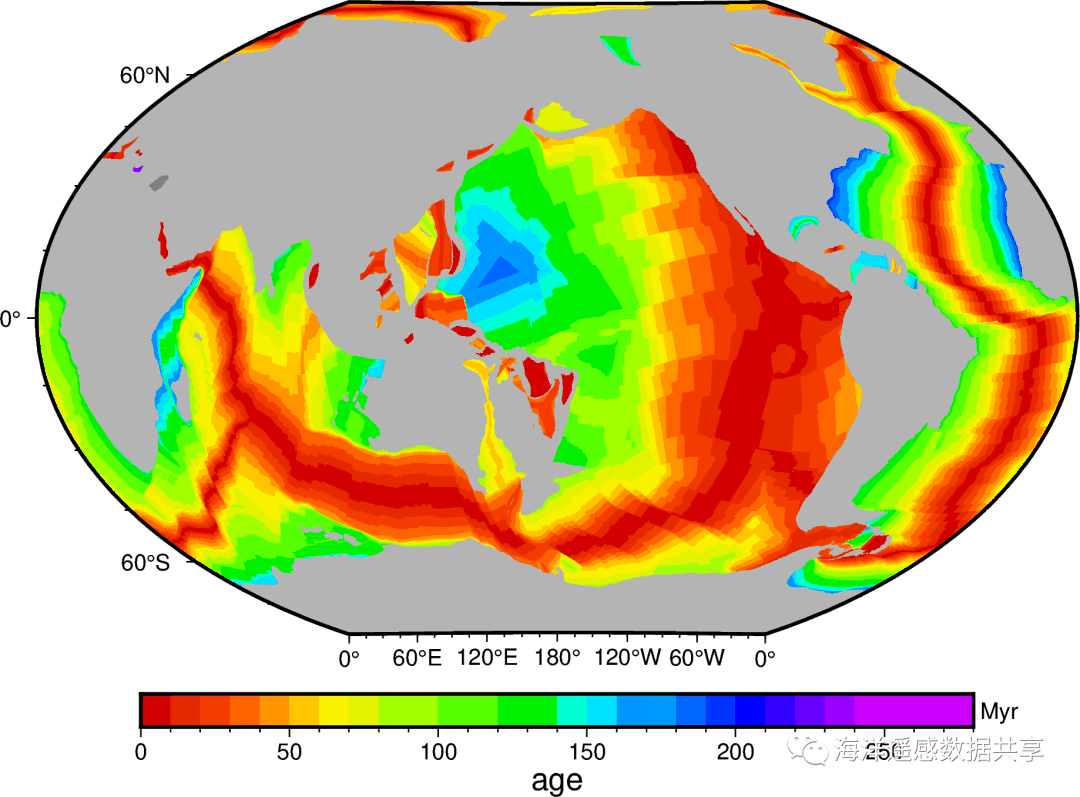
GMT和Pygmt提供了一个远程数据功能,可以使用函数datasets远程下载多种在线数据,并进行处理和绘图。这里以pygmt为例绘制海底地壳年龄、陆地地形。 地壳数据[1]包含了不同的分辨率,对应不同文件大小,最粗为1d,全球数据仅125K,最大分辨率1m,全球数据188M。绘图" l1 s; u% W7 V% }: A% y
[C] 纯文本查看 复制代码 import pygmt
grid_globe = pygmt.datasets.load_earth_age(resolution='06m', region="-180/180/-90/90", registration=None)
fig = pygmt.Figure()
fig.grdimage(grid=grid_globe, projection="R15c", region="0/360/-89/89", frame=True,cmap="crustal_age.cpt")
fig.colorbar(frame=["af", "x+lage", "y+lMyr"],cmap="crustal_age.cpt")
fig.show()
3 v; o% Y9 }- M( x3 V7 Y7 O( b
* `9 [9 n' M/ [% [ C- a) @ l R* S
/ F9 e: I( d% [上面的调色板crustal_age可以在.gmt/cache/下找到,而远程数据也下载到了./gmt/server/下面。' b6 u( K: Q8 R$ z, \- o( K2 O7 N# _
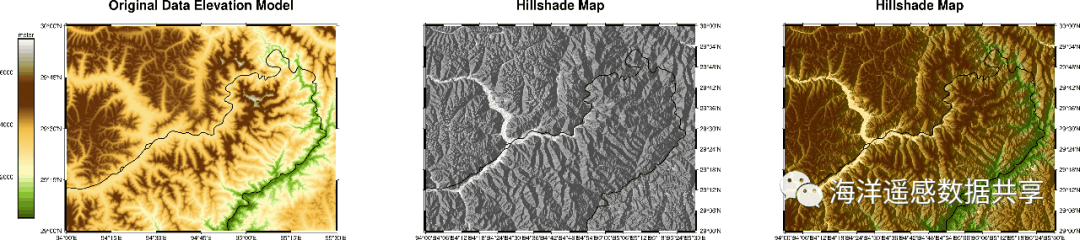
地形数据地形数据[2]包含多种不同分辨率,对应不同的文件大小,最粗为1d,文件大小128k,最高分辨率为1s,文件大小达41G: SRTM绘图[C] 纯文本查看 复制代码 # 雅鲁藏布江大峡谷[/b]grid = pygmt.datasets.load_earth_relief(
"03s",
region=[94, 95.5, 29, 30],
registration="gridline",
use_srtm=True,
)
# calculate the reflection of a light source projecting from west to east
# (azimuth of 270 degrees) and at a latitude of 30 degrees from the horizon
dgrid = pygmt.grdgradient(grid=grid, radiance=[270, 30])
fig = pygmt.Figure()
fig.grdimage(grid=grid, projection="M15c", region=[94, 95.5, 29, 30], frame=['WSrt+t"Original Data Elevation Model"',"xa", "ya"],cmap="dem1")
fig.colorbar(position="JML+o1.8c/0c+w10c/0.9c",frame=["af", "y+lmeter"])
fig.coast(rivers="a/1p",borders="2/5,red")
# Shift plot origin of the second map by 12.5 cm in x direction
fig.shift_origin(xshift="20c")
pygmt.makecpt(cmap="gray", series=[-1.5, 0.3, 0.01])
fig.grdimage(
grid=dgrid,
projection="M15c",
frame=['lSEt+t"Hillshade Map"', "xa0.1", "ya0.1"],
cmap=True,
)
fig.coast(rivers="a/1p",borders="2/5,red")
# Shift plot origin of the second map by 12.5 cm in x direction
fig.shift_origin(xshift="20c")
fig.grdimage(
grid=grid,
shading=dgrid,
projection="M15c",
frame=['lSEt+t"Hillshade Map"', "xa0.1", "ya0.1"],
cmap="dem1",
)
fig.coast(rivers="a/1p",borders="2/5,red")
fig.show(width="20c")
fig.savefig("srtm.png")
8 g# k' [' ^4 ]; Y- ^- k& k M0 x* Y
0 m1 n$ |& E% b
4 w$ G0 W5 W" O) u" b; c6 W: `3D地形图
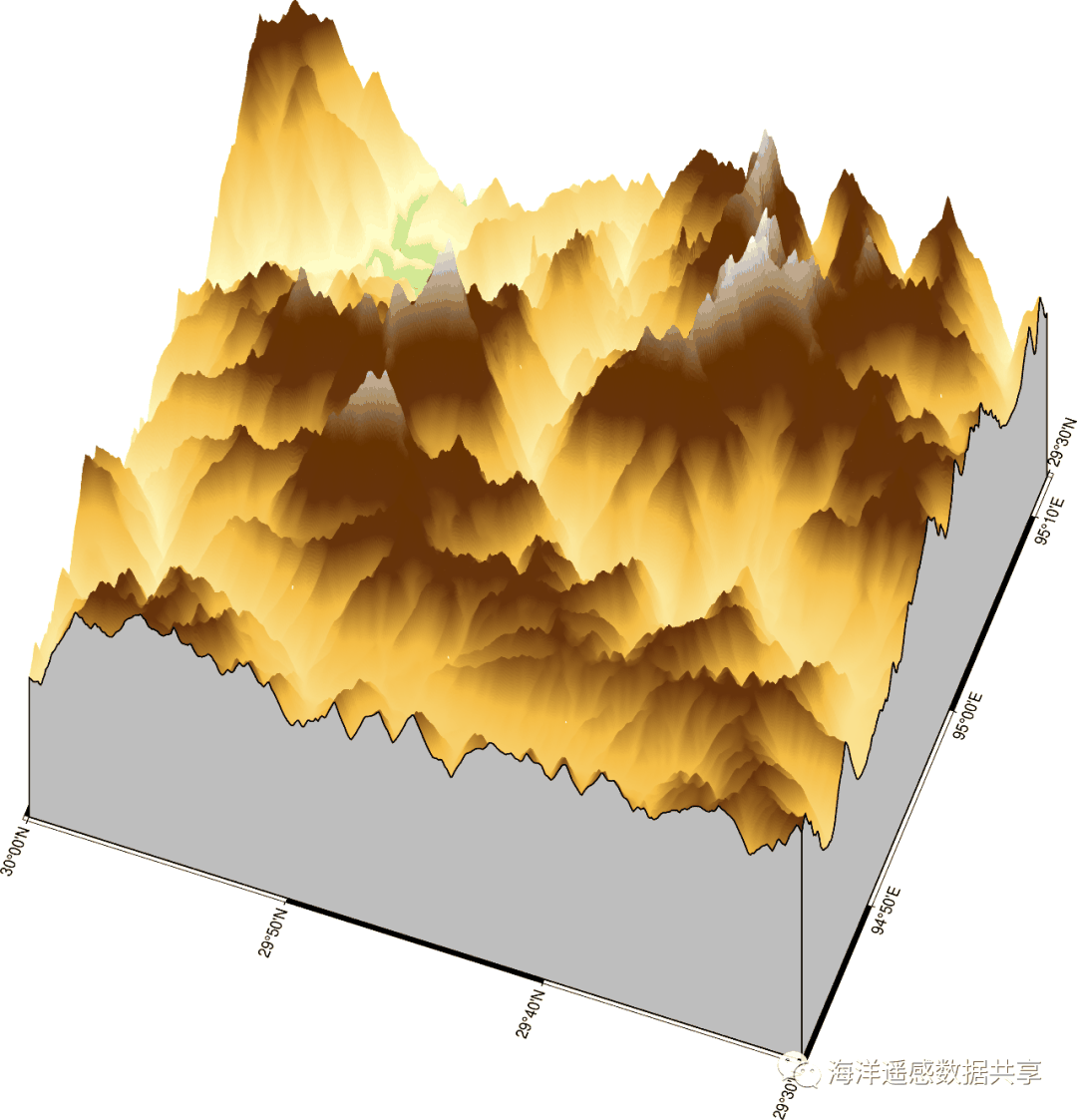
; q; q F, [* ?, ?4 t[C] 纯文本查看 复制代码 fig = pygmt.Figure()
fig.grdview(
grid=grid,
region=[94.7, 95.2, 29.5, 30],
perspective=[250, 60],
frame=["xa", "ya", "WSNE"],
projection="M15c",
zsize="15c",
surftype="s",
cmap="dem1",
# Set the plane elevation to 1,000 meters and make the fill "gray"
plane="000+ggray",
)
fig.show()
9 n4 o$ U, u/ I3 @! ?同样,我们还可以使用pygmt.grdview绘制三维地形图。下面是我曾经到过山脚下,但是在云中的南迦巴瓦峰。 * \) _( k( h$ w4 R) f4 M
) Z( a" q4 R4 A) B& U( m
8 ^6 @8 K/ O3 A- s: ?% R" d" [2 P3 ^. _
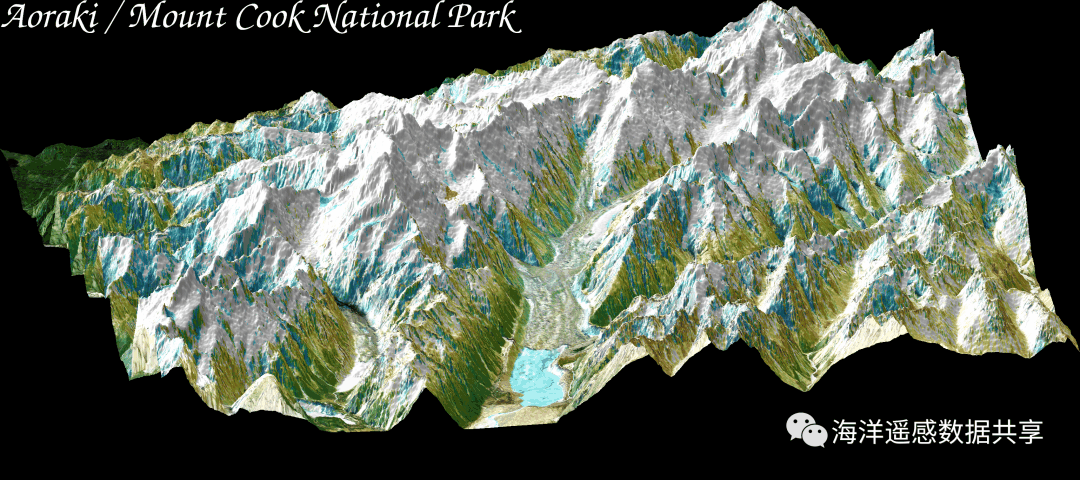
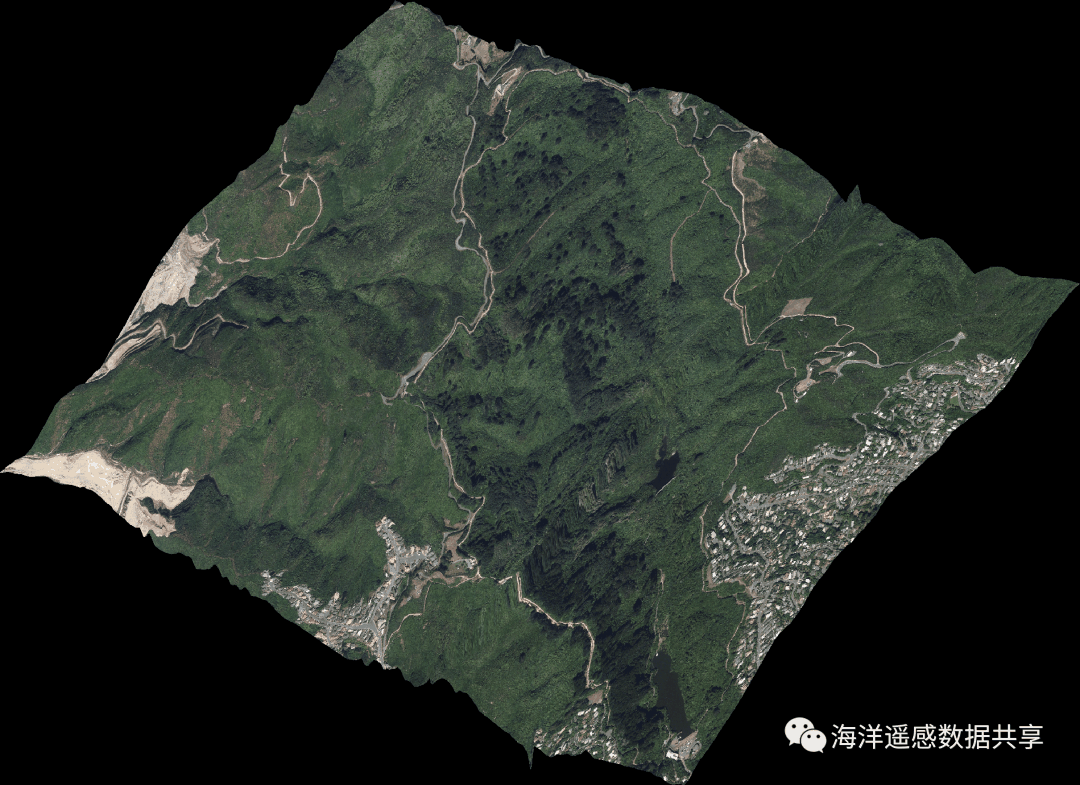
附:遥感影像和地形的结合在github存在一个30Day*****的系列代码库,其中包含绘图领域的30DayMapChallenge2021,恰好已经使用GMT完成了这项工作,作者是Pygmt的核心开发者Weiji。 这里有两个遥感影像和地形结合的例子(17和18),可以作为很好的学习材料.
 * Z: u2 d& i6 E, U0 Z \
I# |6 N V" Q9 l4 T/ u( A3 p/ b% a/ C# r
References[1] 地壳数据: https://www.generic-mapping-tools.org/remote-datasets/earth-age.html
5 d9 G9 t0 m- ]/ n } C[2] 地形数据: https://www.generic-mapping-tools.org/remote-datasets/earth-relief.html
6 C. z+ p( |6 H) H! }0 {$ N# ?/ f, J" A6 j% v! N5 t
来源:海洋遥感数据共享
) P- p' l/ Y7 L- X9 Q3 u+ L
( [; ]( q9 @- [ |